Journey Monitoring
Test a journey with Run & watch
Watch a test, inspect its results and confirm a successful run before starting regular checks.
Reviewed
Run a test
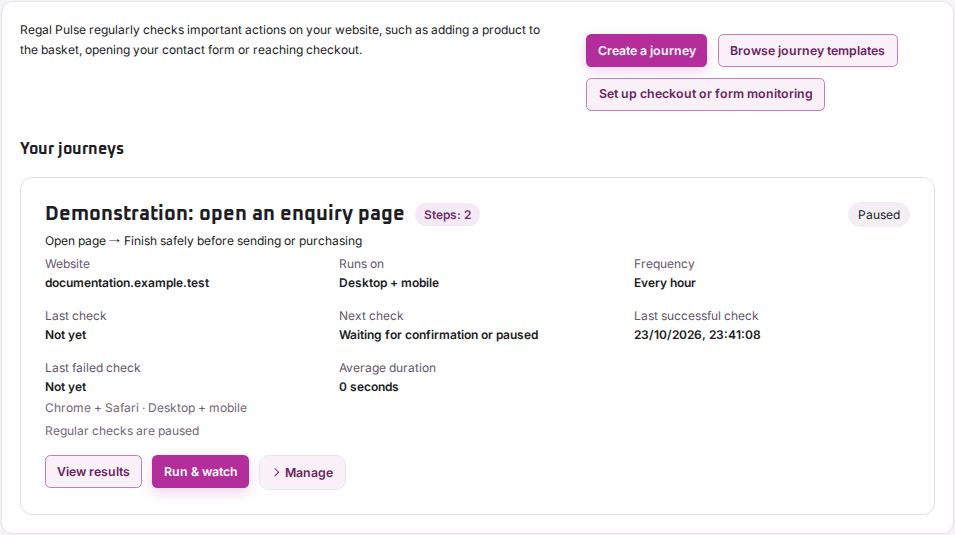
- Open Journey monitoring and find the saved journey.
- Choose Run & watch.
- Wait for the run to finish, then open its results.
If the run is queued or progressing, don’t start another copy. A running check has not produced a final result.
Check what happened
Use the View and Cookies choices to review each device and cookie variant. Read the steps in order and inspect the screenshot where a check stopped.
The clip shows the recorded sequence. It does not confirm that an order, payment or form submission completed.
Confirm or adjust the journey
After a successful test, choose Confirm journey & start regular checks when shown. This saves the reviewed result as the reference for later comparisons.
For an intentional website change, edit and retest the journey. For an unexplained failure, use the stopped-journey guide before accepting a different reference.
Open Manage on the journey card for Edit, Pause or Resume. Review the saved frequency after a change. Plan limits determine which frequencies you can choose.